Delivery · Saint-Gaudens
A commune dossier from 12 department-wide layers
Select the commune once, filter every thematic layer, then export one styled GeoPackage with its QGIS project.
- 12,380
- buildings kept
- < 1 s
- recorded filtering time
Open-source QGIS plugin
Choose a feature, a list or a QGIS expression. FilterMate applies the spatial rule to every target layer at once — on GeoPackage, PostGIS, SpatiaLite and other vector sources, without writing SQL.
FilterMate 4.9.2 · QGIS 3.22–4.x · Qt5 and Qt6
BD TOPO® 3.5 © IGN, Haute-Garonne. Recorded in QGIS 4.2 with FilterMate 4.9.2.
The workflow
FilterMate turns a recurring multi-layer GIS operation into three explicit steps. You can inspect the selection and settings before anything changes.
Pick one feature, tick several, mirror a map selection or write a QGIS expression.
Select the target layers, predicate and optional buffer. Check the source selection before applying the filter.
Review counts on the map, undo or save the filter, then export the scoped layers when needed.
Four layers around Toutens, a styled QGIS project, an importable favorite and instructions in English and French. Extract the ZIP before opening the project.
Download the demo (ZIP, 203 KB)Verified examples
These examples use the complete 2.9 GB BD TOPO GeoPackage for Haute-Garonne. The published counts were checked independently on the same data.
Delivery · Saint-Gaudens
Select the commune once, filter every thematic layer, then export one styled GeoPackage with its QGIS project.
Planning · Muret
A QGIS expression sets 300 m or 250 m according to each road category.
1,999 buildings and 74 public buildings
See settings and resultStructures · Toulouse Métropole
The Cross predicate excludes roads that merely run alongside the water.
1,112 road segments and 190 structures
See settings and resultRoad proximity · Aspet
Disjoint plus a 200 m buffer finds what lies outside the buffer.
22 hamlets beyond 200 m
See settings and result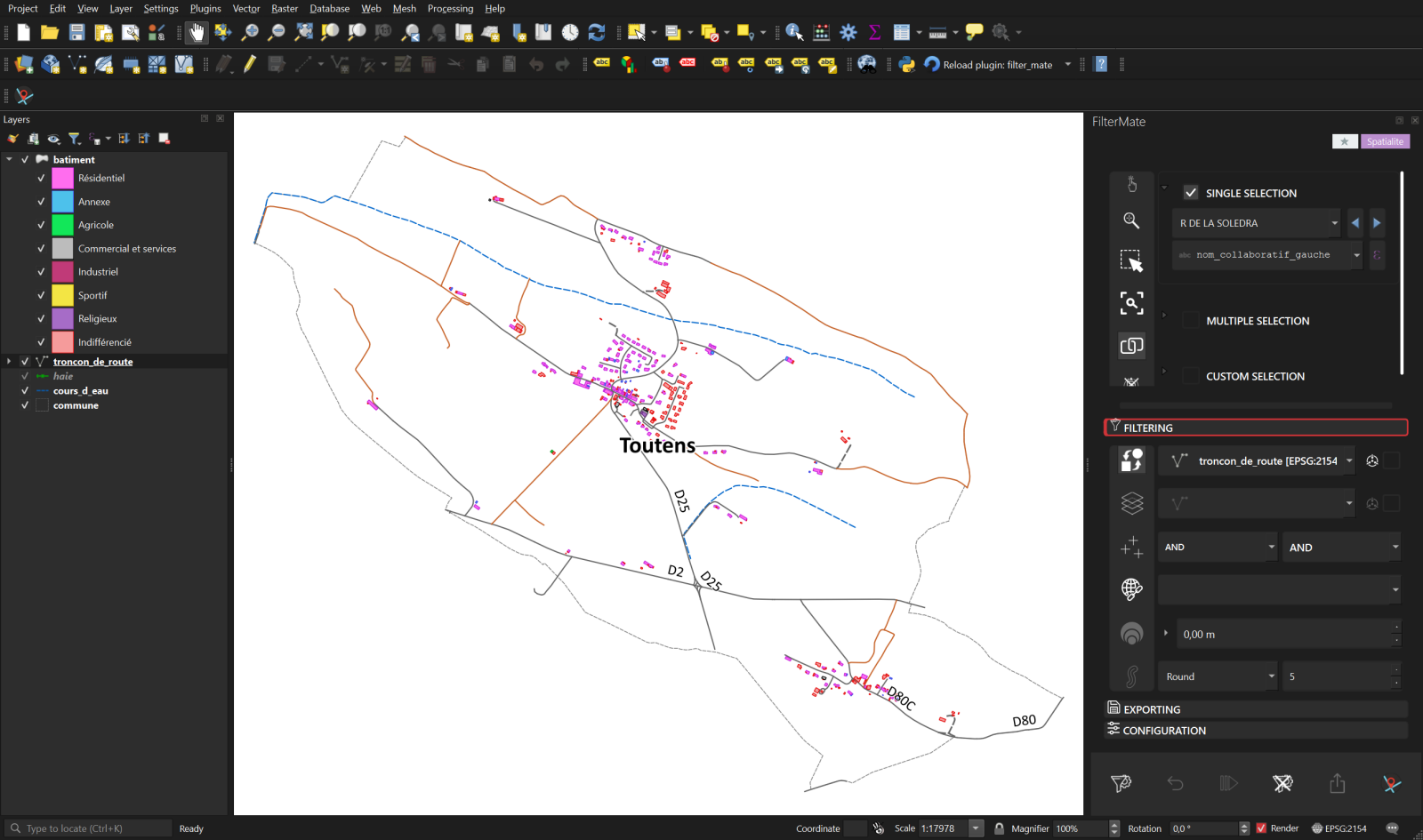
The FilterMate dock stays beside the map and the Layers panel, so the source, rule and result remain visible together.
Daily QGIS work
FilterMate keeps the full workflow in one dock instead of scattering it across temporary layers and one-off queries.
Measured, not implied
FilterMate chooses a backend for each vector layer and uses native spatial indexes where available. These figures describe the documented Haute-Garonne example, not a universal benchmark.
Free and open source
FilterMate is published in the official QGIS plugin repository under GPL-3.0.